March 2, 2014
Installing Window 8
Sir Tom discussed how to install Windows 8 using power point... awesome right... hehehe, he only demonstate how. I learned that it was very easy but very long process to install the windows 8.

System Utilities
Sir Tom discussed the system utilites. He borrowed my USB because it has virus...
He discussed the ff:
He discussed the ff:
- disk scan/fragmentation
- system backup/restore
- start up manager
- live optimization
- registry and disk cleaner
- duplicate finder
It was a very long lecture but at least... I learn so much
Mother Board
Think I forgot when is it, but I never forgot our experience to assemble the mother board with my team... it's very fun and we learned so much even though there is the time limit... we had a mistake on the ribbon cable... its very cool band very frustrating.
Basic Computer Hardware and Power On Self Test Beeps
Sir Tom discussed to us the important matters to check when we use computer. I wrote some of it...
- check power
- check the cables
- check when others use printer
- check when printer install
Sir Tom also discussed the meanings of beeps of the used computer... I didn't take some notes because he said that it's not much important.
Then... we were assigned to plug all the wires and cables to the computer set to test our skill. I did it and after that, we messaged sir Tom that we made it. YEY!
Lecture about the Generations
Sir Tom discussed the different generations of computer. I was very amazed of it because of the structure and the functions of computers in such early times...
To help you with these... I summarize the lesson.
 1st Generation: Vacuum Tubes(1940-1955)
 2nd Generation: Transistors(1956-1963)

3rd Generation: Integrated Circuit (IC)... (eye see)

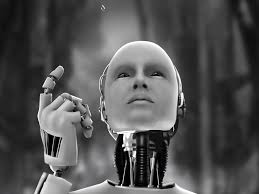 5th Generation: Artificial Inteligence(?-present)
To help you with these... I summarize the lesson.
 1st Generation: Vacuum Tubes(1940-1955)
- for circuiting and magnetic drums for memory
- the input to the computer was through puncehed cards and paper tubes
- software tech : machine language
2nd Generation: Transistors(1956-1963)- Magnetic Core Techonology
- assembly language
- much smaller than Vacuum Tubes
3rd Generation: Integrated Circuit (IC)... (eye see)
- multiple transistors
- placed on a silicon chip
- |
- -----> semiconductor
- gets much smaller than transistors
4th Generation: Microprocessor(1971-present)
- LSI Large Scale Integration
- Its much smaller than integrated circuit
- capable of learning and self-orientation
HOPE YOU LIKE IT!
Subscribe to:
Comments (Atom)